Returner · upgrade rehearsal with Kane CLI

Returning users keep their work

Promise: “My saved assessment survives the model update, and I see the new model”

Both builds served at http://127.0.0.1:58453

Browser state X-ray · key names only (via Chrome DevTools)
Storage keys diverged: v2 new user wrote localStorage: assessmentData
New userlocalStorage: assessmentData
Returning userlocalStorage: assessmentData

Returning user

Yesterday's profile on the new build

pass
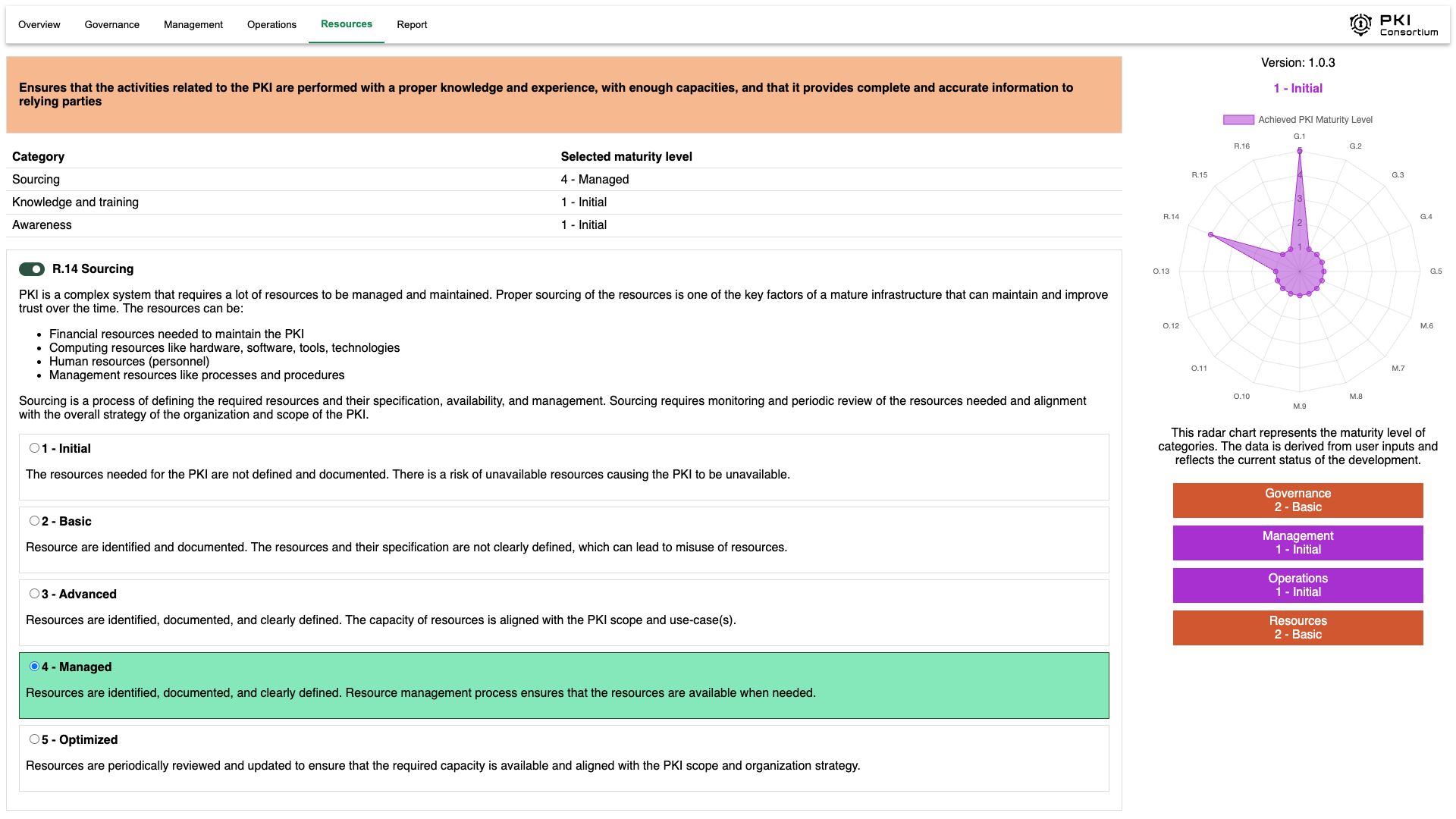
Kane's final screenshot for the Returning user check
Kane's final screen · click to enlarge
Browser console errors from Kane's evidence pack
  • Failed to load resource: the server responded with a status of 404 (Not Found)

Kane's summaryReloaded the assessment page and reviewed the Report, Governance, Management, and Resources tabs without changing any information. Confirmed the report lists Assessment Name “Returner-fd17d9e1” and Assessor Name “Saved work 886b7a6f-974.” Confirmed Governance shows Strategy and Vision at “5 - Optimized” and includes Cryptography. Confirmed Management shows Infrastructure management at “1 - Initial.” Confirmed Resources shows Sourcing at “4 - Managed.” Completed the requested read-only review successfully.

Kane objective and steps

Reload the page. On the Report tab, verify the Assessment Name is exactly "Returner-fd17d9e1" and the Assessor Name is exactly "Saved work 886b7a6f-974". Open the Governance tab: verify "Strategy and Vision" is at level "5 - Optimized" and a category named "Cryptography" is listed. Open the Management tab: verify "Infrastructure management" is at level "1 - Initial". Open the Resources tab: verify "Sourcing" is at level "4 - Managed". This is a read-only check: do not type, select or change anything. Release promise: My saved assessment survives the model update, and I see the new model

  1. navigate: Navigate to http://127.0.0.1:58453
  2. wait: PRIMARY: Reload the page
  3. click: Clicking Open the Report tab
  4. click: PRIMARY: Open the Report tab; role=button; text="Report" | HINTS: position=top n
  5. analyze: ANALYZE(textual_visual, 'The Assessor Name is exactly "Saved work 886b7a6f-974".
  6. assert: The Assessment Name is exactly "Returner-fd17d9e1" and the Assessor Name is exac
  7. click: Clicking the Governance tab
  8. analyze: A category named "Cryptography" is listed.
  9. assert: "Strategy and Vision" is at level "5 - Optimized" and a category named "Cryptogr
  10. click: Clicking the Management tab
  11. analyze: "Infrastructure management" is at level "1 - Initial".
  12. assert: "Infrastructure management" is at level "1 - Initial".
  13. click: Clicking the Resources tab in the top navigation
  14. analyze: "Sourcing" is at level "4 - Managed".
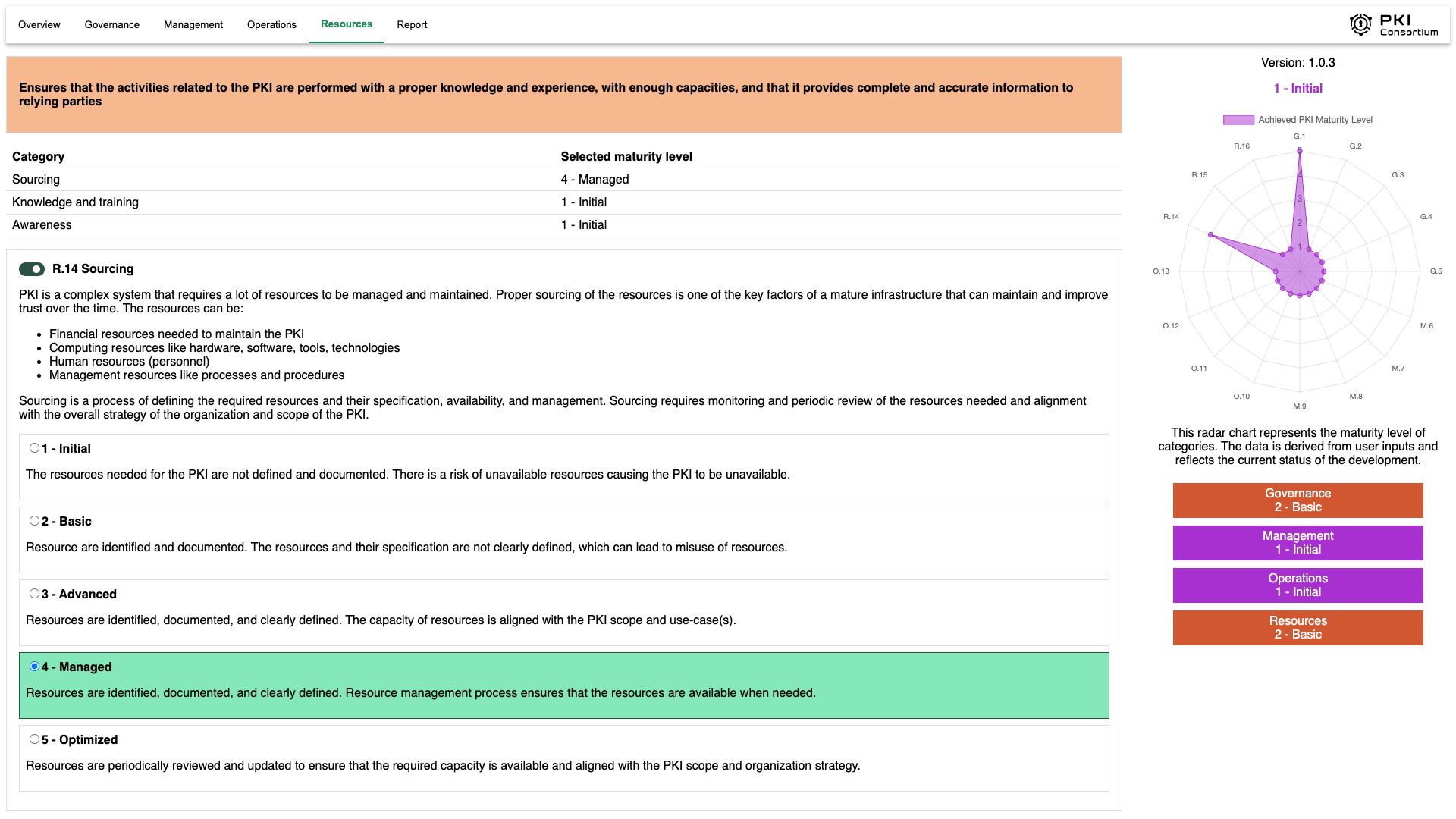
  15. assert: "Sourcing" is at level "4 - Managed".

44.6 Kane credits · 92 s · Open in TestMu Test Manager

New user

Empty profile on the new build

pass
Kane's final screenshot for the New user check
Kane's final screen · click to enlarge
Browser console errors from Kane's evidence pack
  • Failed to load resource: the server responded with a status of 404 (Not Found)

Kane's summaryUpdated the report with Assessment Name “New-Returner-fd17d9e1” and Assessor Name “Fresh Saved work 886b7a6f-974.” Set Strategy and Vision to “5 - Optimized” and Sourcing to “4 - Managed.” Opened the Management tab without changing Infrastructure management, which remained at its default “1 - Initial.” Reloaded the page and revisited the Report, Governance, Management, and Resources tabs; all entered values and selected levels were retained.

Kane objective and steps

Open the Report tab. Type "New-Returner-fd17d9e1" into the Assessment Name field and "Fresh Saved work 886b7a6f-974" into the Assessor Name field. Open the Governance tab and select level "5 - Optimized" for "Strategy and Vision". Open the Management tab and confirm "Infrastructure management" is already at its default level "1 - Initial" without changing it. Open the Resources tab and select level "4 - Managed" for "Sourcing". Reload the page. On the Report tab, verify Assessment Name is exactly "New-Returner-fd17d9e1" and Assessor Name is exactly "Fresh Saved work 886b7a6f-974". Open the Governance tab and verify "Strategy and Vision" is at level "5 - Optimized". Open the Management tab and verify "Infrastructure management" is at level "1 - Initial". Open the Resources tab and verify "Sourcing" is at level "4 - Managed".

  1. navigate: Navigate to http://127.0.0.1:58453
  2. click: Clicking the Report tab in the top navigation bar
  3. wait: queued plan (2 steps): type "Assessment Name:"; type "Assessor Name:"
  4. type: Type "New-Returner-fd17d9e1" into "Assessment Name:"
  5. scroll: Scroll "Assessor Name:" into view
  6. type: Type "Fresh Saved work 886b7a6f-974" into "Assessor Name:"
  7. click: Clicking the Governance tab in the top navigation bar
  8. click: Selecting level 5 - Optimized for Strategy and Vision
  9. click: Clicking the Management tab in the top navigation bar
  10. analyze: ANALYZE(textual_visual, 'The selected level for "Infrastructure management" is "
  11. assert: "Infrastructure management" is already at its default level "1 - Initial".
  12. click: Clicking Resources in the top navigation
  13. click: Selecting 4 - Managed for Sourcing level in the first category
  14. wait: PRIMARY: confirm Sourcing selection before reloading
  15. wait: PRIMARY: wait for the reloaded assessment page
  16. analyze: ANALYZE(textual_visual, 'Assessor Name is exactly "Fresh Saved work 886b7a6f-974
  17. assert: Assessment Name is exactly "New-Returner-fd17d9e1" and Assessor Name is exactly
  18. click: Clicking the Governance tab in the top navigation
  19. analyze: "Strategy and Vision" is at level "5 - Optimized".
  20. assert: "Strategy and Vision" is at level "5 - Optimized".
  21. click: Clicking Management tab
  22. analyze: "Infrastructure management" is at level "1 - Initial".
  23. assert: "Infrastructure management" is at level "1 - Initial".
  24. click: Clicking the Resources tab in the top navigation
  25. analyze: "Sourcing" is at level "4 - Managed".
  26. assert: "Sourcing" is at level "4 - Managed".

57.9 Kane credits · 141 s · Open in TestMu Test Manager