Failed to load resource: the server responded with a status of 404 (Not Found)
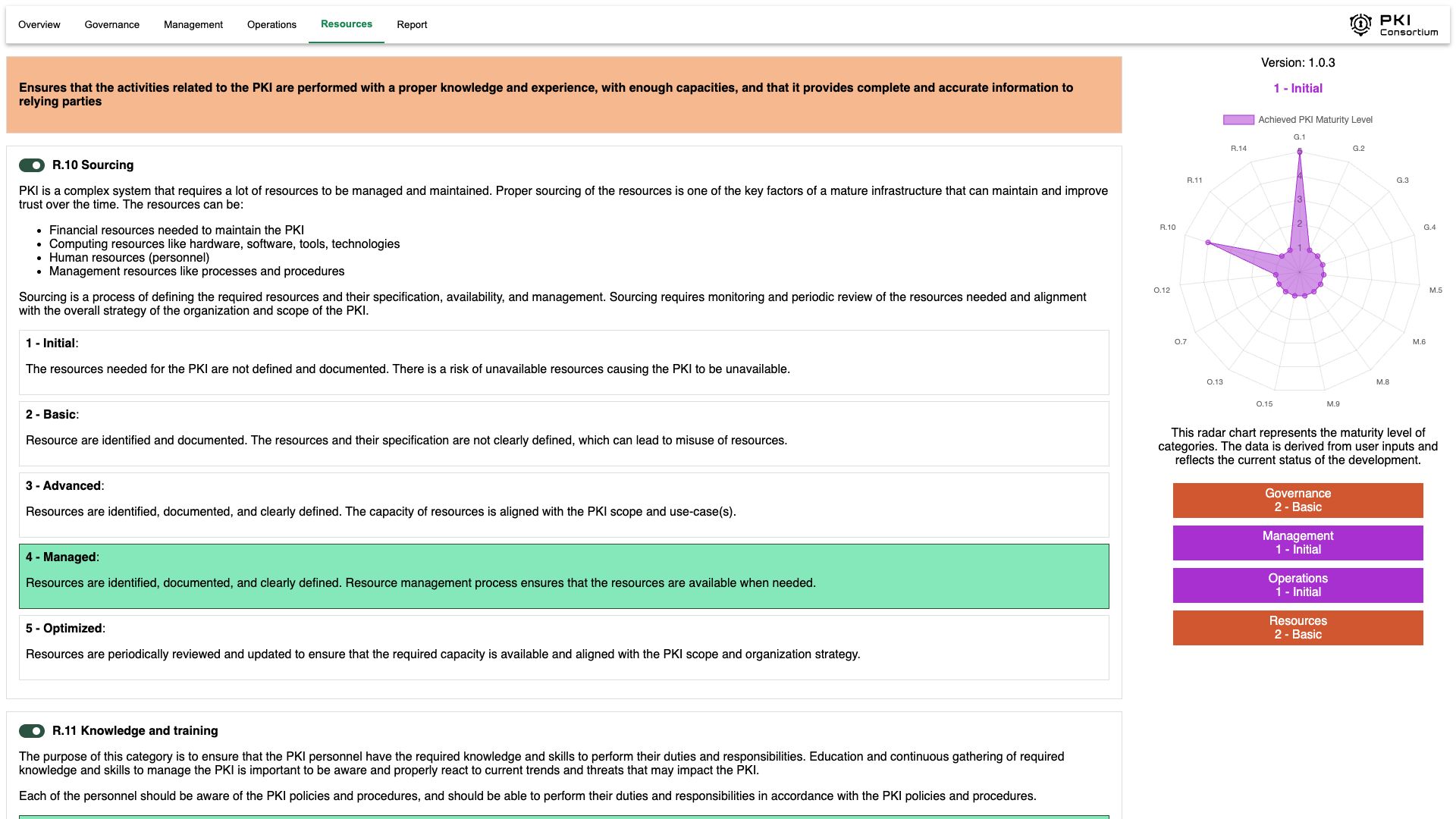
Kane's summaryUpdated the report with Assessment Name “Returner-fd17d9e1” and Assessor Name “Saved work 886b7a6f-974.” Set “Strategy and Vision” to “5 - Optimized” and “Sourcing” to “4 - Managed.” Visited the Management section without changing “Infrastructure management,” which remained at “1 - Initial.” Reloaded the page and revisited each section; the entered names and selected maturity levels were retained. Completed the requested review successfully.
Kane objective and steps
Open the Report tab. Type "Returner-fd17d9e1" into the Assessment Name field and "Saved work 886b7a6f-974" into the Assessor Name field. Open the Governance tab and select level "5 - Optimized" for "Strategy and Vision". Open the Management tab and confirm "Infrastructure management" is already at its default level "1 - Initial" without changing it. Open the Resources tab and select level "4 - Managed" for "Sourcing". Reload the page. On the Report tab, verify Assessment Name is exactly "Returner-fd17d9e1" and Assessor Name is exactly "Saved work 886b7a6f-974". Open the Governance tab and verify "Strategy and Vision" is at level "5 - Optimized". Open the Management tab and verify "Infrastructure management" is at level "1 - Initial". Open the Resources tab and verify "Sourcing" is at level "4 - Managed".
- navigate: Navigate to http://127.0.0.1:58453
- click: Clicking the Report tab in the top navigation bar
- wait: queued plan (2 steps): type "Assessment Name:"; type "Assessor Name:"
- type: Type "Returner-fd17d9e1" into "Assessment Name:"
- scroll: Scroll "Assessor Name:" into view
- type: Type "Saved work 886b7a6f-974" into "Assessor Name:"
- click: Clicking the Governance tab in the top navigation bar
- click: Selecting level 5 - Optimized for Strategy and vision
- click: Clicking the Management tab in the top navigation bar
- analyze: ANALYZE(textual_visual, '"Infrastructure management" is already at its default l
- assert: "Infrastructure management" is already at its default level "1 - Initial".
- click: Clicking the Resources tab in the top navigation bar
- click: Selecting level 4 Managed for Sourcing resources category
- wait: PRIMARY: Reload the page
- analyze: Assessor Name is exactly "Saved work 886b7a6f-974".
- assert: Assessment Name is exactly "Returner-fd17d9e1" and Assessor Name is exactly "Sav
- click: Clicking the Governance tab in the top navigation bar
- analyze: "Strategy and Vision" is at level "5 - Optimized".
- assert: "Strategy and Vision" is at level "5 - Optimized".
- click: Clicking the Management tab
- analyze: "Infrastructure management" is at level "1 - Initial".
- assert: "Infrastructure management" is at level "1 - Initial".
- click: Clicking the Resources tab in the top navigation bar
- analyze: "Sourcing" is at level "4 - Managed".
- analyze: "Sourcing" is at level "4 - Managed".
- assert: "Sourcing" is at level "4 - Managed".