Returner · upgrade rehearsal with Kane CLI

Returning users lose their work

Promise: “My draft survives the release”

Both builds served at http://127.0.0.1:62980

Returning user

Yesterday's profile on the new build

fail
Kane's final screenshot for the Returning user check
Kane's final screen · click to enlarge
Browser console errors from Kane's evidence pack
  • Failed to load resource: the server responded with a status of 500 (Internal Server Error)

Kane's summaryThe service behind the draft application failed while loading the home page, so no drafts could be displayed or checked. Restore the draft application's server response, then rerun the check to verify that the existing draft can be opened, edited, saved, and reloaded. evidence: network_failure: GET http://127.0.0.1:62980/ -> 500 body: Internal Server Error evidence: console_error: Failed to load resource: the server responded with a status of 500 (Internal Server Error)

Kane objective and steps

Open the existing draft titled "Returner-2c92570a". Verify that exact title and body "Saved work da2179c2-e71" are visible. If missing, fail immediately without creating or typing the missing contents. If present, append " EDITED" to the body, save, reload, and verify the full edited body "Saved work da2179c2-e71 EDITED". Release promise: My draft survives the release

  1. navigate: Navigate to http://127.0.0.1:62980
  2. wait: PRIMARY: wait 1000 ms for the draft application to recover from the internal ser
  3. wait: Waiting after confirming the draft application remains unavailable
15.6 Kane credits · 38 s · Open in TestMu Test Manager

Before upgrade

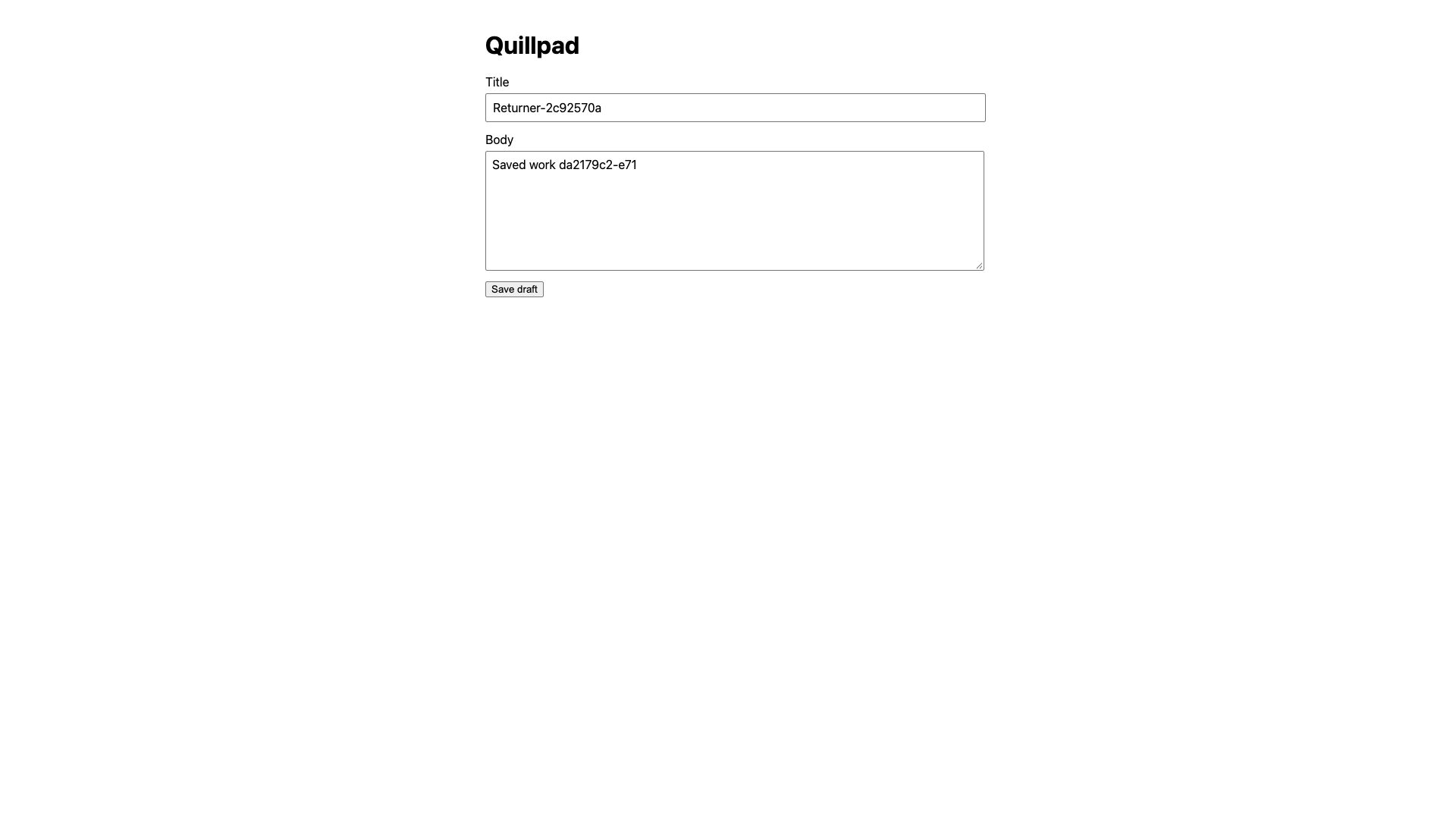
Saves work on the previous build

pass
Kane's final screenshot for the Before upgrade check
Kane's final screen · click to enlarge

Kane's summaryCreated a draft with the title "Returner-2c92570a" and body "Saved work da2179c2-e71". Saved the draft and reloaded the page. Confirmed that both the title and body text remained visible after the reload.

Kane objective and steps

Create a draft whose title is "Returner-2c92570a" and body is "Saved work da2179c2-e71". Save it, reload and verify both exact strings remain visible.

  1. navigate: Navigate to http://127.0.0.1:62980
  2. wait: queued plan (3 steps): type "Title"; type "Body"; click "Save draft"
  3. type: Type "Returner-2c92570a" into "Title"
  4. type: Typing draft body text
  5. click: Clicking Save draft button
  6. analyze: ANALYZE(textual_visual, 'The exact string "Saved work da2179c2-e71" remains visi
  7. assert: Both exact strings "Returner-2c92570a" and "Saved work da2179c2-e71" remain visi

19.1 Kane credits · 42 s · Open in TestMu Test Manager

New user

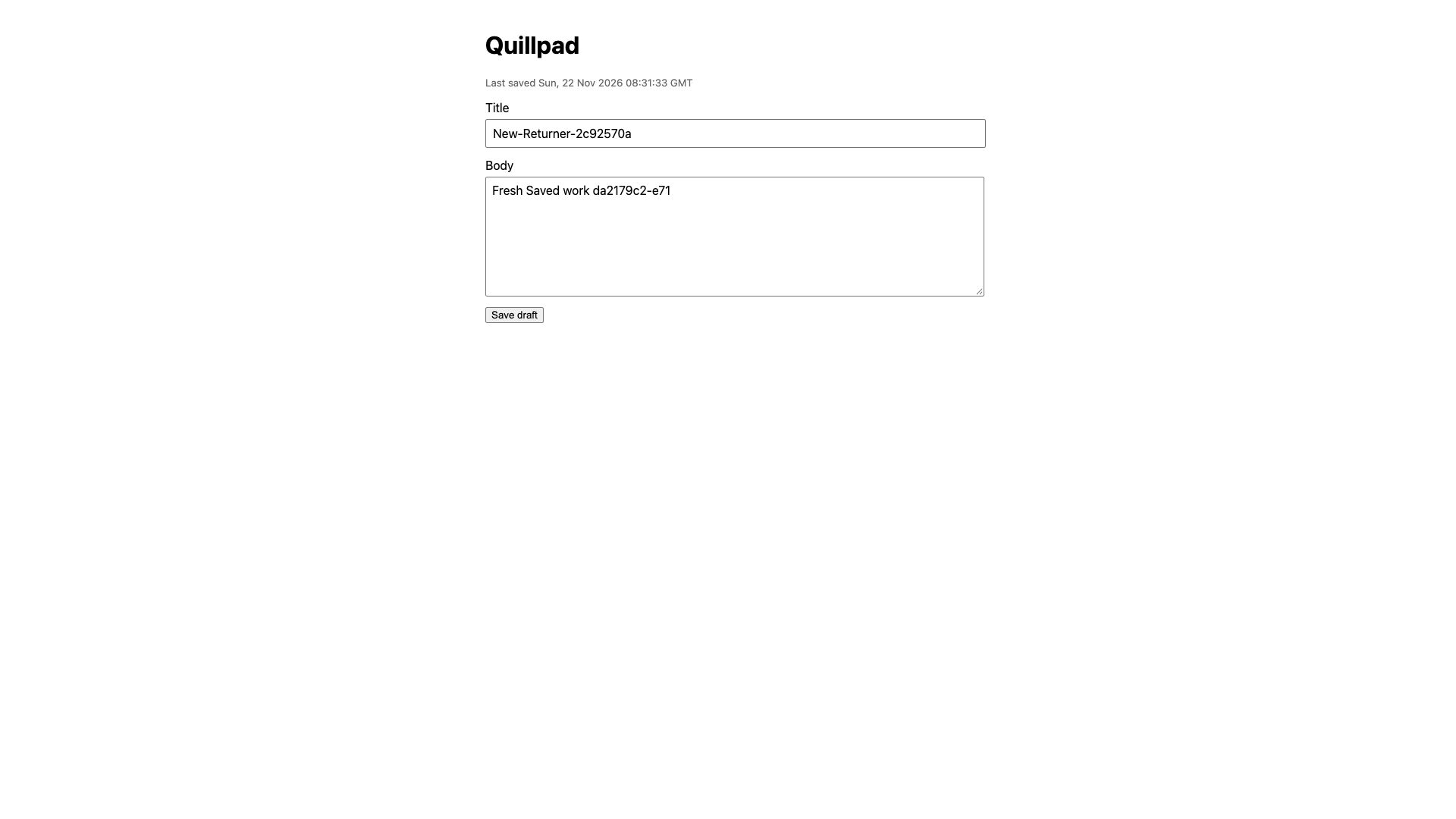
Empty profile on the new build

pass
Kane's final screenshot for the New user check
Kane's final screen · click to enlarge

Kane's summaryCreated a draft with the title "New-Returner-2c92570a" and body "Fresh Saved work da2179c2-e71". Saved the draft and reloaded the page. Confirmed that both the title and body remained visible after the reload.

Kane objective and steps

Create a draft whose title is "New-Returner-2c92570a" and body is "Fresh Saved work da2179c2-e71". Save it, reload and verify both exact strings remain visible.

  1. navigate: Navigate to http://127.0.0.1:62980
  2. wait: queued plan (2 steps): type "Title"; type "Body"
  3. type: Type "New-Returner-2c92570a" into "Title"
  4. type: Typing the draft body text in the editor
  5. click: Clicking Save draft button
  6. press_key: PRIMARY: Reload the page
  7. wait: PRIMARY: wait for the reloaded Quillpad page to appear
  8. analyze: ANALYZE(textual_visual, 'The exact string "Fresh Saved work da2179c2-e71" remain
  9. assert: Both exact strings "New-Returner-2c92570a" and "Fresh Saved work da2179c2-e71" r

19.7 Kane credits · 47 s · Open in TestMu Test Manager

Replay after repair'node' '../../src/returner.mjs' '--replay' '.returner/run-R77UEM' '--new' 'http://127.0.0.1:4102'