Returner · upgrade rehearsal with Kane CLI

Returning users keep their work

Promise: “My saved rack layout is still there after the upgrade”

Both builds served at http://127.0.0.1:51817

Returning user

Yesterday's profile on the new build

pass
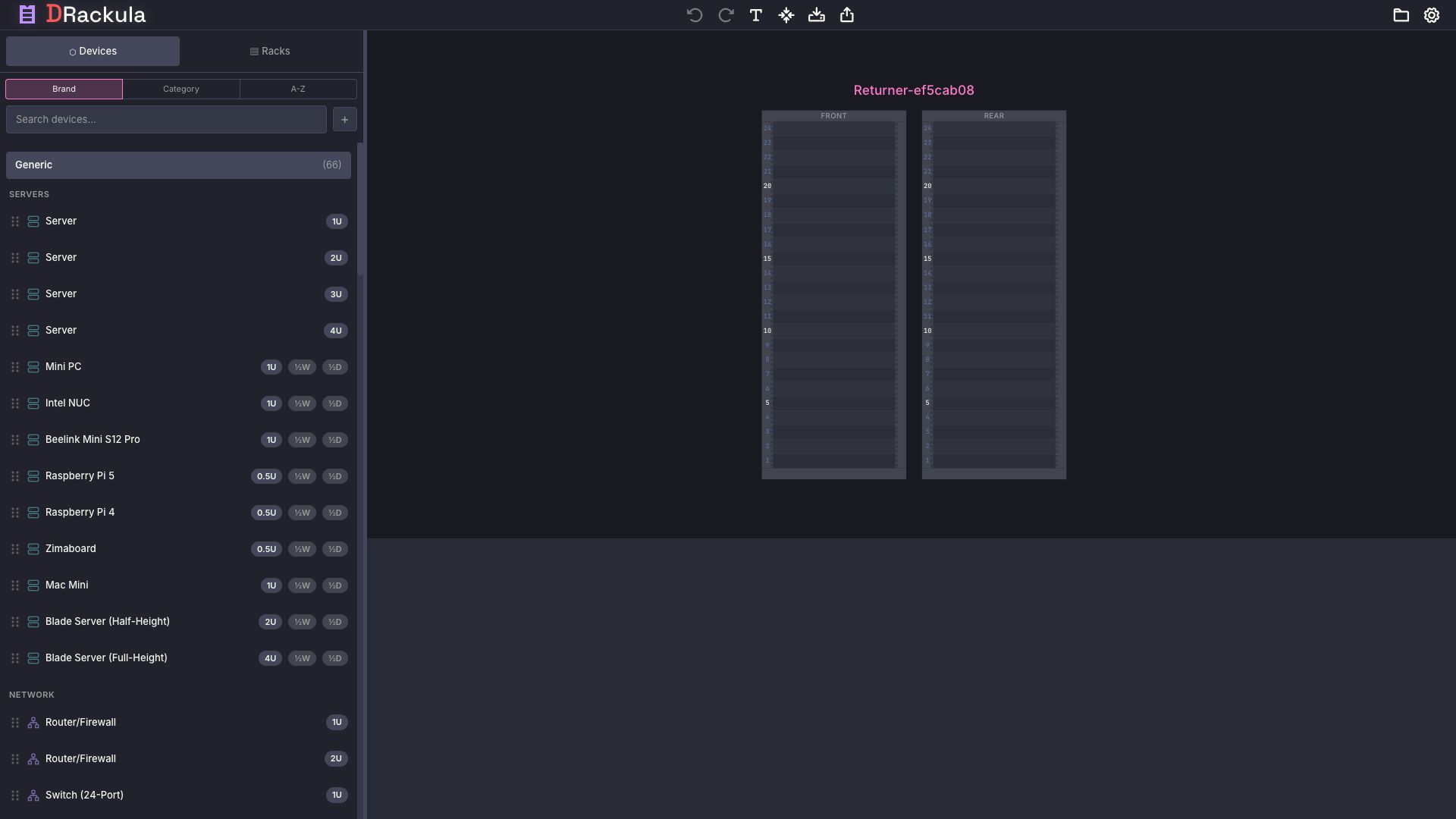
Kane's final screenshot for the Returning user check
Kane's final screen · click to enlarge

Kane's summaryVerified that the existing rack named “Returner-ef5cab08” is displayed on the canvas. The requested rack was present successfully.

Kane objective and steps

Verify that the canvas shows the existing rack named "Returner-ef5cab08". This is a read-only check: do not type, do not create a new rack, and do not change anything. The check fails if no rack named "Returner-ef5cab08" is shown. Release promise: My saved rack layout is still there after the upgrade

  1. navigate: Navigate to http://127.0.0.1:51817
  2. analyze: ANALYZE(textual_visual, 'the existing rack named "Returner-ef5cab08" is shown on
  3. assert: the canvas shows the existing rack named "Returner-ef5cab08"

5.5 Kane credits

New user

Empty profile on the new build

pass
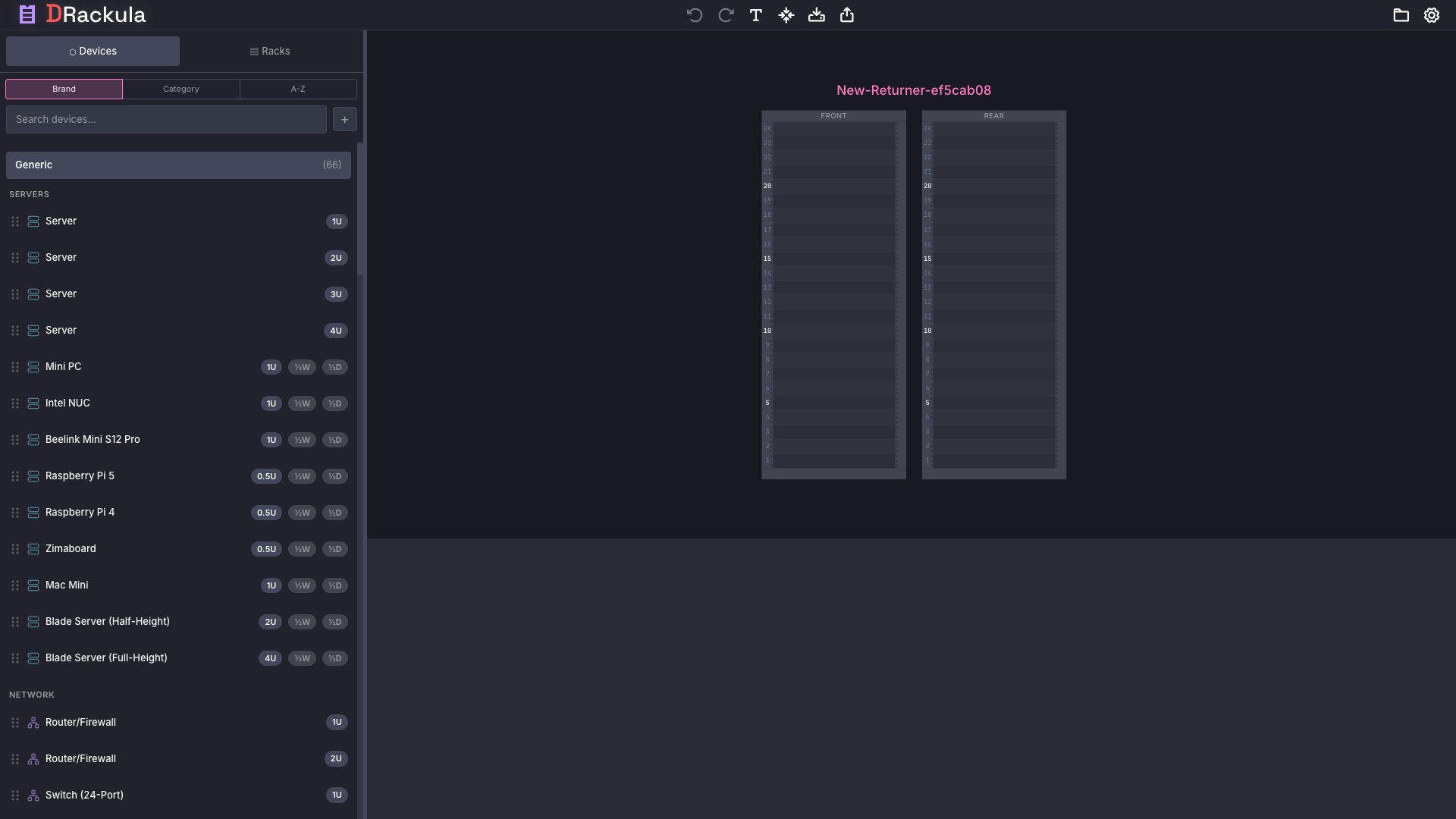
Kane's final screenshot for the New user check
Kane's final screen · click to enlarge

Kane's summaryCreated a new 24U rack named "New-Returner-ef5cab08" in the New Rack dialog. Reloaded the page as requested. Confirmed that "New-Returner-ef5cab08" remained visible on the rack canvas after the reload.

Kane objective and steps

Create a rack named "New-Returner-ef5cab08" with a height of 24U: in the New Rack dialog or wizard, replace the rack name with "New-Returner-ef5cab08", choose 24U, and create it. Verify a rack named "New-Returner-ef5cab08" is shown on the canvas. Reload the page and verify the rack named "New-Returner-ef5cab08" is still shown.

  1. navigate: Navigate to http://127.0.0.1:51817
  2. wait: queued plan (2 steps): type "Rack Name"; click "Next"
  3. type: Type "New-Returner-ef5cab08" into "Rack Name"
  4. click: Click "Next"
  5. wait: queued plan (2 steps): click "24U"; click "Create Rack"
  6. click: Click "24U"
  7. click: Click "Create Rack"
  8. wait: PRIMARY: confirm the created rack is shown on the canvas
  9. analyze: a rack named "New-Returner-ef5cab08" is shown on the canvas
  10. assert: a rack named "New-Returner-ef5cab08" is shown on the canvas
  11. wait: PRIMARY: reload the page
  12. analyze: the rack named "New-Returner-ef5cab08" is still shown
  13. assert: the rack named "New-Returner-ef5cab08" is still shown

24.2 Kane credits