Returner · upgrade rehearsal with Kane CLI

Returning users lose their work

Promise: “My saved rack layout is still there after the upgrade”

Both builds served at http://127.0.0.1:51817

Returning user

Yesterday's profile on the new build

fail
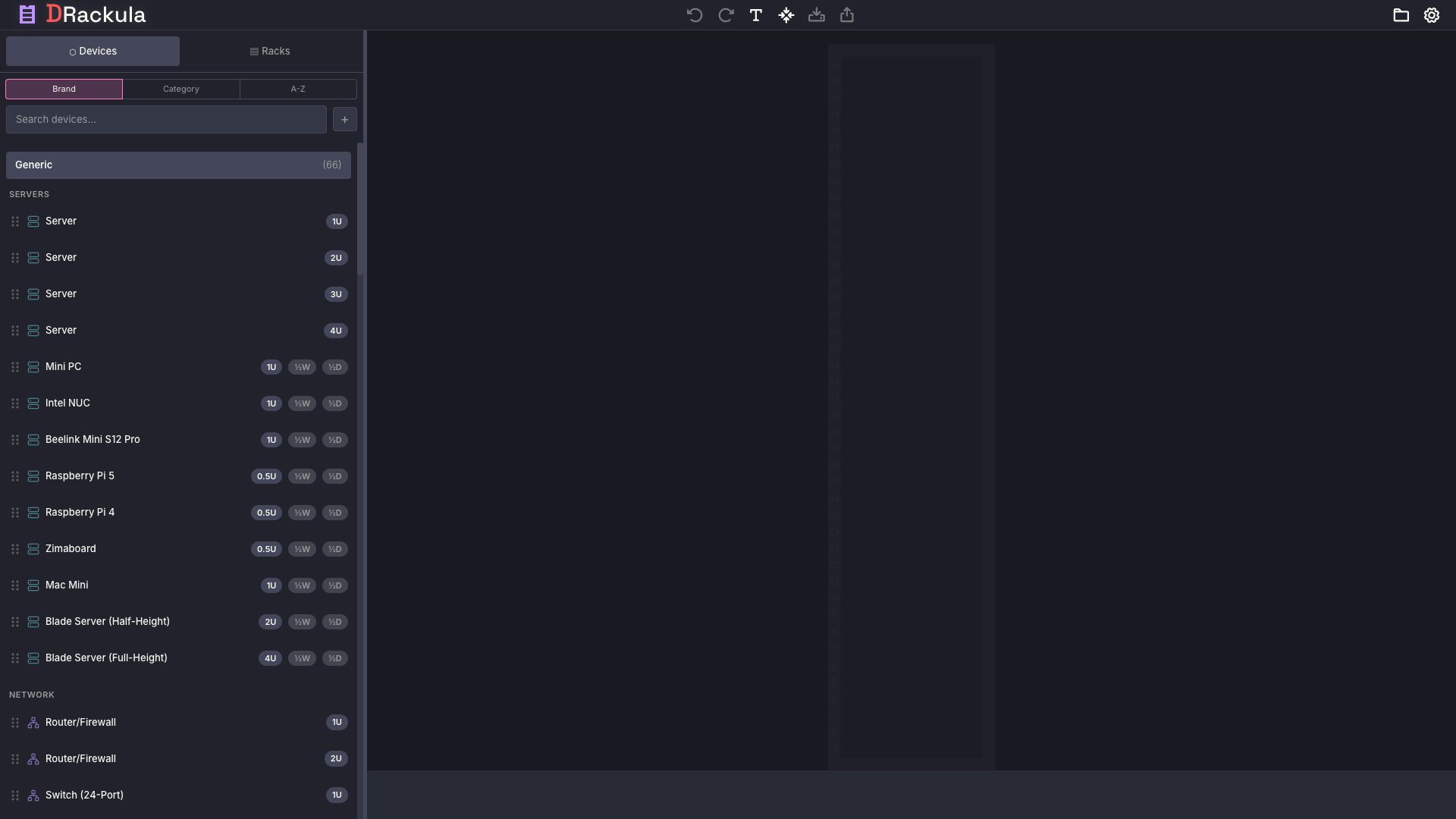
Kane's final screenshot for the Returning user check
Kane's final screen · click to enlarge
Browser console errors from Kane's evidence pack
  • Cannot read properties of undefined (reading 'map')

Kane's summaryThe run navigated to the app and immediately checked the canvas. The screenshots show Devices selected and Racks available but not selected, so the saved rack was never looked for in its intended view. Update the check to open the Racks view, wait for the rack list or canvas to load, and then verify that Returner-ef5cab08 is present. Investigate the startup console exception separately if it still occurs after the correct view is opened.

Kane objective and steps

Verify that the canvas shows the existing rack named "Returner-ef5cab08". This is a read-only check: do not type, do not create a new rack, and do not change anything. The check fails if no rack named "Returner-ef5cab08" is shown. Release promise: My saved rack layout is still there after the upgrade

  1. navigate: Navigate to http://127.0.0.1:51817
  2. analyze: ANALYZE(visual, 'the existing rack named "Returner-ef5cab08" is shown on the can
  3. assert: the canvas shows the existing rack named "Returner-ef5cab08"
12.7 Kane credits

Before upgrade

Saves work on the previous build

pass
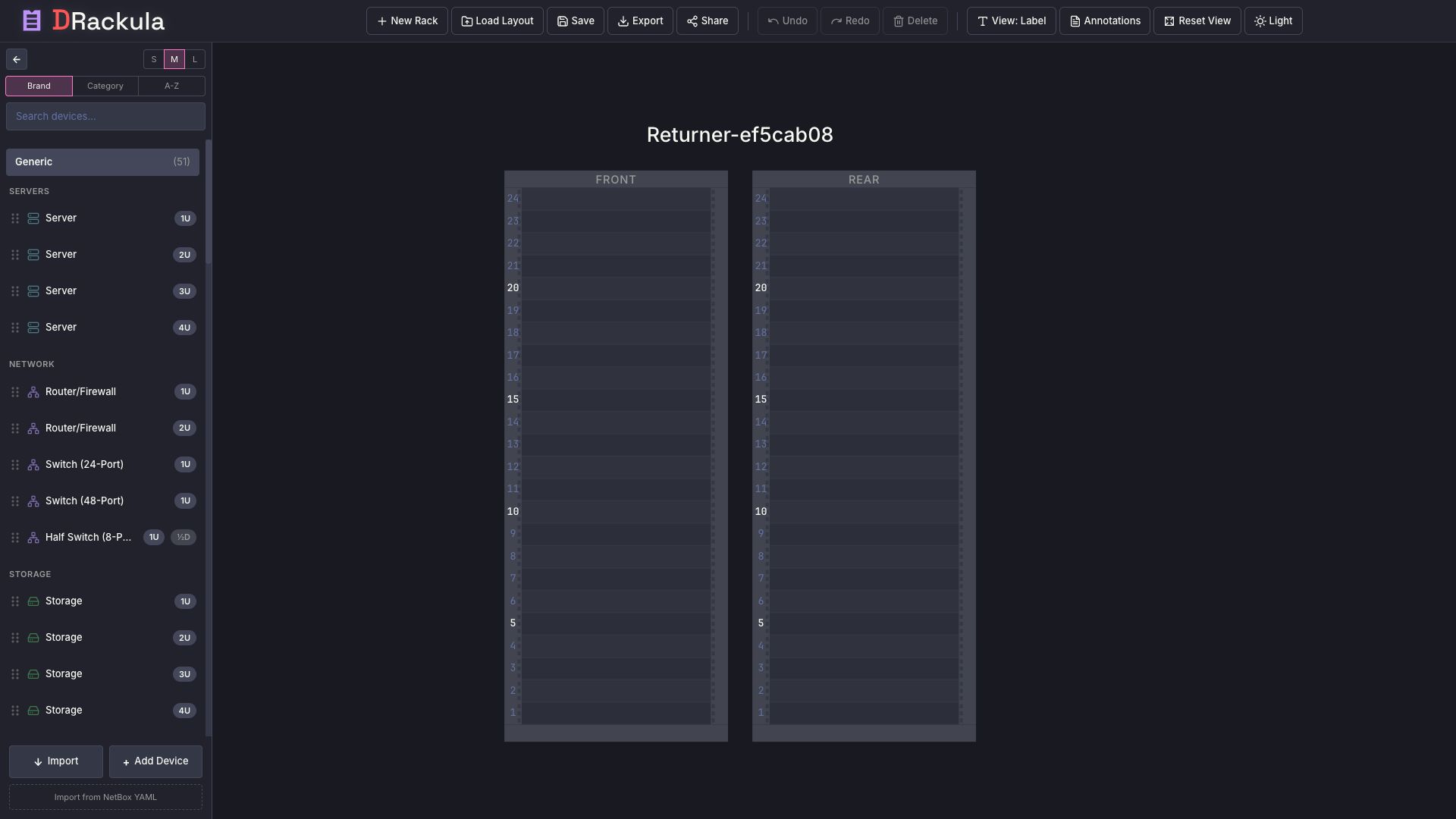
Kane's final screenshot for the Before upgrade check
Kane's final screen · click to enlarge

Kane's summaryCreated the requested rack named "Returner-ef5cab08" with a height of 24U. Reloaded the page. Confirmed that "Returner-ef5cab08" remained visible on the rack layout after the reload.

Kane objective and steps

Create a rack named "Returner-ef5cab08" with a height of 24U: in the New Rack dialog or wizard, replace the rack name with "Returner-ef5cab08", choose 24U, and create it. Verify a rack named "Returner-ef5cab08" is shown on the canvas. Reload the page and verify the rack named "Returner-ef5cab08" is still shown.

  1. navigate: Navigate to http://127.0.0.1:51817
  2. click: Clicking New Rack button
  3. click: Clicking Replace in the New Rack dialog
  4. wait: queued plan (3 steps): type "Rack Name"; click "24U"; click "Create"
  5. type: Type "Returner-ef5cab08" into "Rack Name"
  6. click: Click "24U"
  7. click: Click "Create"
  8. analyze: a rack named "Returner-ef5cab08" is shown on the canvas
  9. assert: a rack named "Returner-ef5cab08" is shown on the canvas
  10. analyze: the rack named "Returner-ef5cab08" is still shown
  11. assert: the rack named "Returner-ef5cab08" is still shown

27.4 Kane credits

New user

Empty profile on the new build

pass
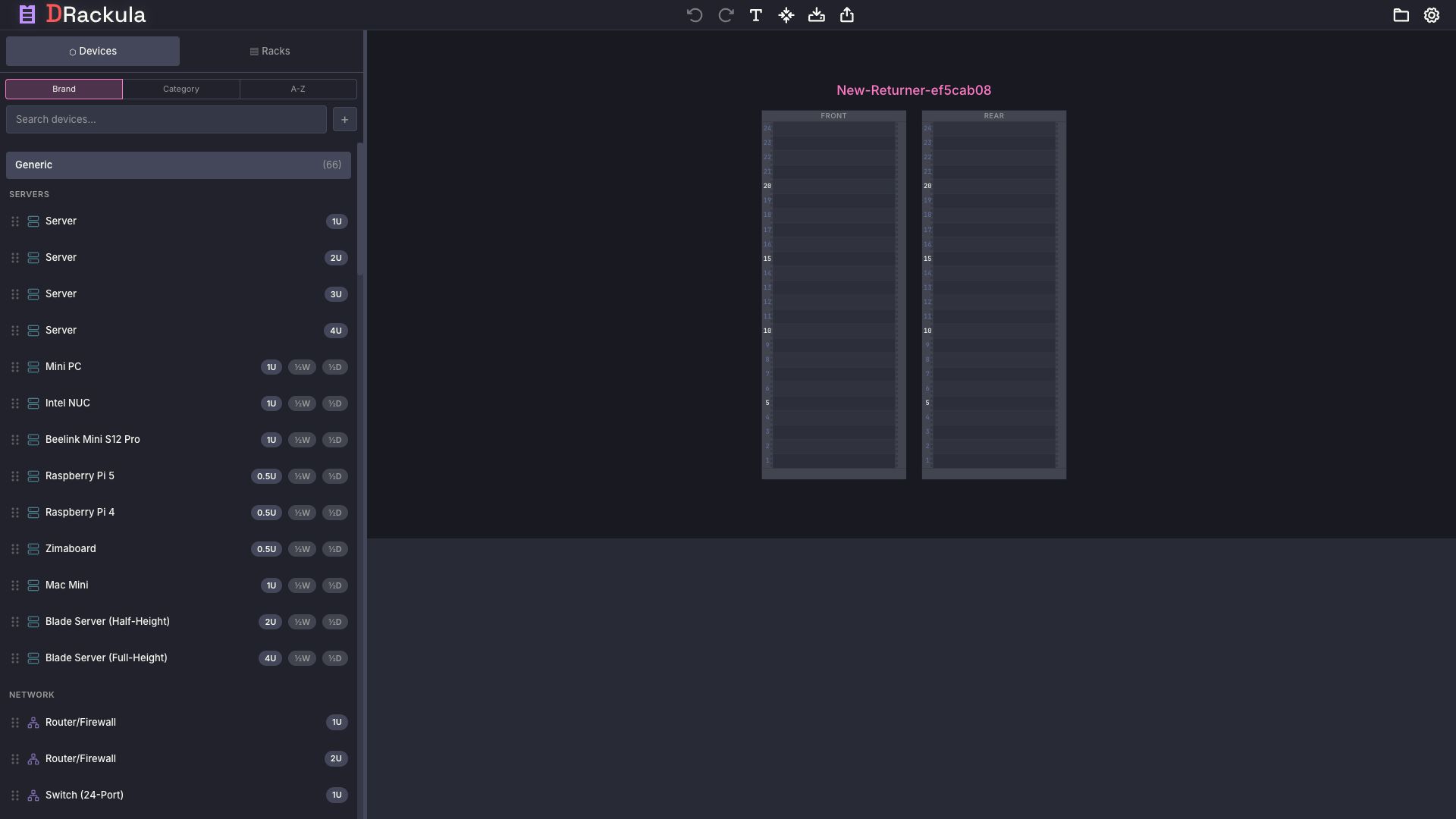
Kane's final screenshot for the New user check
Kane's final screen · click to enlarge

Kane's summaryCreated a 24U rack named "New-Returner-ef5cab08" as requested. Confirmed that the new rack appeared on the canvas. Reloaded the page and confirmed that "New-Returner-ef5cab08" was still shown.

Kane objective and steps

Create a rack named "New-Returner-ef5cab08" with a height of 24U: in the New Rack dialog or wizard, replace the rack name with "New-Returner-ef5cab08", choose 24U, and create it. Verify a rack named "New-Returner-ef5cab08" is shown on the canvas. Reload the page and verify the rack named "New-Returner-ef5cab08" is still shown.

  1. navigate: Navigate to http://127.0.0.1:51817
  2. wait: queued plan (2 steps): type "Rack Name"; click "Next"
  3. type: Type "New-Returner-ef5cab08" into "Rack Name"
  4. click: Click "Next"
  5. wait: queued plan (2 steps): click "24U"; click "Create Rack"
  6. click: Click "24U"
  7. click: Click "Create Rack"
  8. analyze: a rack named "New-Returner-ef5cab08" is shown on the canvas
  9. assert: a rack named "New-Returner-ef5cab08" is shown on the canvas
  10. analyze: the rack named "New-Returner-ef5cab08" is still shown
  11. assert: the rack named "New-Returner-ef5cab08" is still shown

27.9 Kane credits